
Learn how to use Boolean search on LinkedIn and Sales Navigator to build precise lead lists and power your Outbound Contact campaigns.

Foundations
What Is Boolean Search?
Boolean search allows you to shape LinkedIn results with AND, OR, NOT, quotes, and parentheses. This ensures your search results closely match your ideal customer profile (ICP).
- AND – narrows results (
sales AND SaaS) - OR – expands results (
founder OR owner) - NOT – excludes terms (
marketing NOT intern) - "Quotes" – matches exact phrases (
"business development manager") - (Parentheses) – groups logic for complex expressions
Sales Navigator
Using Boolean Search in Sales Navigator
"Medical Practice" AND (sports OR nutrition OR wellness) NOT injury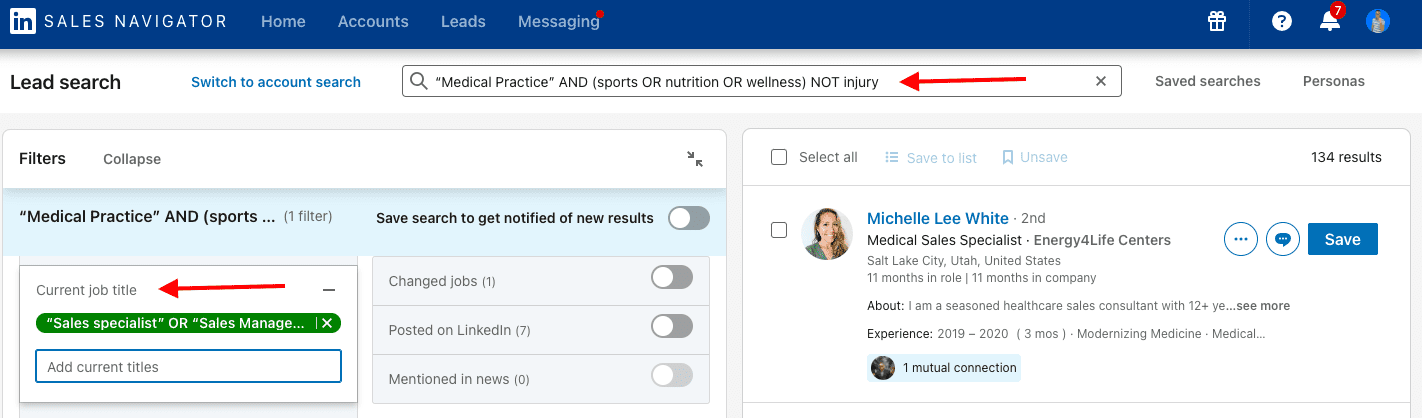
Copy & Paste
Boolean Strings You Can Use Now
Revenue Leaders
(Head OR Chief OR VP) AND (Sales OR Marketing OR "Revenue Operations")Exclude Non-ICP Roles
(sales OR "business development") NOT (intern OR "entry level" OR assistant)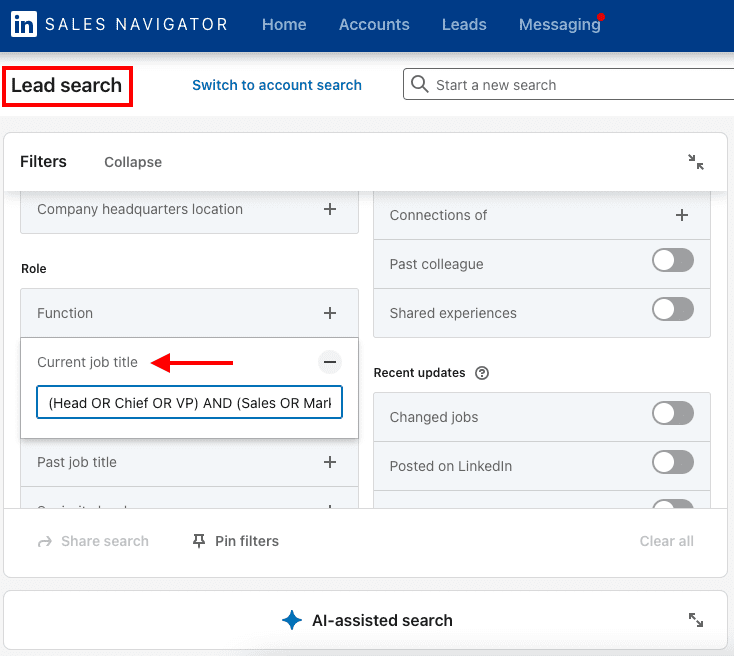
Turn Smart Searches into Booked Meetings
Boolean search identifies the right people. Outbound Contact turns them into conversations and meetings.